Running the M.R.P. Collection Manager on a Macintosh computer
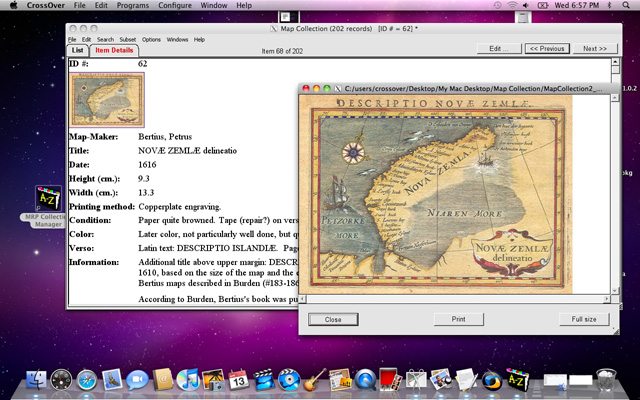
The M.R.P. Collection Manager can be installed and run on a Macintosh
computer, using CrossOver, an inexpensive ($39.95) but very capable Windows
emulation program for Macs.
Requirements: An Intel-based Mac running version 10.5
(or later) of OS X.
CrossOver does not require you to purchase or license any Windows operating
system software. CrossOver is a self-contained Windows emulation package
that allows you to safely install and run a wide variety of Windows applications,
including the M.R.P. Collection Manager, on your Mac. A number of M.R.P. Collection
Manager customers are running on the Mac using CrossOver, so you can be
assured that this is well-tested approach.
CrossOver can be downloaded and installed as a free trial. This allows
you to install and test the M.R.P. Collection Manager on your Mac without any
additional expense. If you are satisfied, you have 30 days to purchase the
CrossOver license. Since the M.R.P. Collection Manager can also be downloaded
for free, to try out in demo mode (maximum of 25 records per collection
database), you can test both CrossOver and the M.R.P. Collection Manager without
any expense.
For more information about CrossOver, go to www.CodeWeavers.com/products
where the product is named CrossOver Impersonator.
A full, detailed step-by-step description for installing the M.R.P. Collection
Manager under CrossOver (as well as a step-by-step description of installing
CrossOver) on your Mac can be found here.